
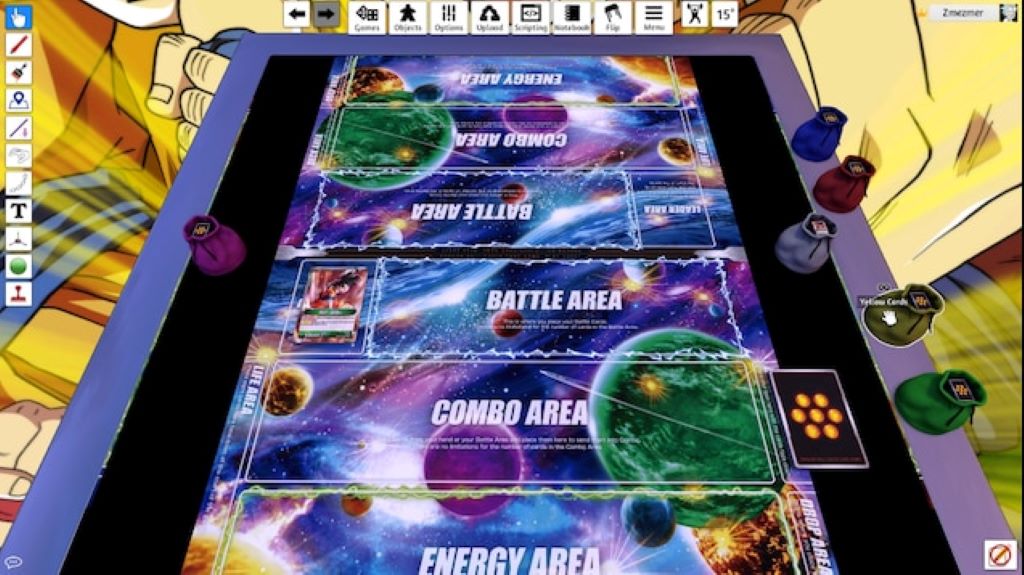
Dragon Ball Super Card Game (DBS CCG) has become one of the most popular trading card games in recent years. With stunning art, engaging gameplay, and characters we all know and love, it’s easy to see why. But learning a new TCG can be intimidating. That’s where Tabletop Simulator comes in. Tabletop Simulator (TTS) is a video game that allows you to play tabletop games virtually. This includes trading card games like DBS CCG. TTS provides a physics-based sandbox to manipulate the cards and other game pieces how you want. It essentially digitizes the tabletop experience, complete with shuffling decks, drawing cards, and moving cards into play.
I’ll cover everything you need to know about getting started with Dragon Ball Super Card Game on Tabletop Simulator. Whether you’re a seasoned player looking for an online option, or someone interested in trying out the game for the first time, this guide will help you learn the ropes. Let’s dive in!
Getting Setup with Tabletop Simulator
The first step is getting Tabletop Simulator installed and set up. Here’s what you need to know:
- Purchase Tabletop Simulator – TTS is available on Steam for $19.99. You’ll need to download Steam and purchase the game through the platform.
- Download the DBS Mod – In order to play DBS in TTS, you need to subscribe to the DBS mod on the Steam Workshop. This will add the cards, mats, and other game components you need to the game.
- Learn the Controls – TTS has a bit of a learning curve. You’ll need to learn how to manipulate objects, draw cards, create decks etc. Take some time to go through the tutorial and get comfortable with the controls.
- Find Other Players – You can play solo against an AI, but DBS really shines when playing against other people. Find other players through the Tabletop Simulator official Discord or community forums.
That covers the basics of getting TTS setup and preparing to play DBS CCG. It may take some trial and error, but once you get the hang of the controls TTS provides a great tabletop experience.
Importing Your Cards and Building a Deck
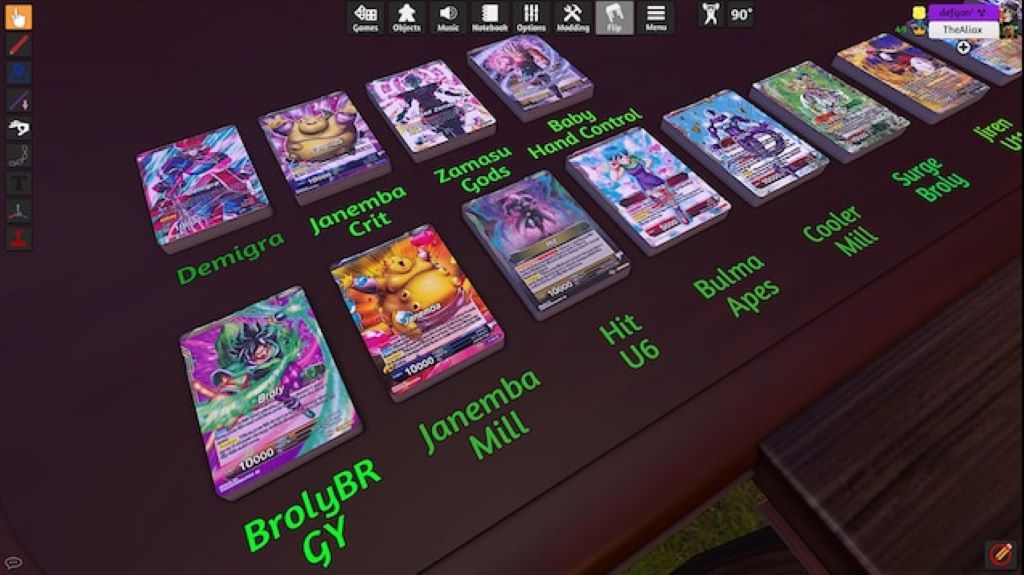
Once you’re setup with Tabletop Simulator, the next step is importing your card collection and building a deck. Here’s how it works:
- Find Deck Codes – There are pre-built deck codes available for all of the starter decks and many popular archetypes. These codes allow you to quickly import complete decks into TTS.
- Import Your Collection – If you want to build a custom deck using your personal collection, you can import your own cards into TTS through the Steam Workshop. This allows you to access your cards in-game.
- Deck Building – Once you have access to cards, you can build decks right within TTS. Double click cards to add them to your deck, respecting format legality of course.
- Save Decks – You can save decks within TTS for quick access later. This allows you to easily import your different decks whenever you want to play.
Following these steps lets you bring in all your real life cards and decks into TTS. It mirrors the experience of sitting down at a table with your binder and building a deck to play with friends.
Gameplay Walkthrough
Once you have decks built, it’s time to actually play! Here’s an overview of how a game of DBS CCG plays out in TTS:
- Set Life and Draw Hand – Just like in real life, each player draws 6 cards for their starting hand and sets their life counters to 4.
- Roll for First – Players can roll dice or flip coins to determine who goes first. This simulates the real feeling of rolling for first turn.
- Draw and Charge Phases – Players draw a card from their deck and add one card from their hand to the energy area. Tabletop Simulator automatically shuffles and deals the cards.
- Main Phase – Players can now play battle or extra cards from their hand and combo cards from their hand if attacking. TTS lets you manipulate the cards just like real ones.
- Attack Phase – To attack, select your leader card or one of your battle cards and drag it to your opponent’s character to deal damage. Their life total will decrease accordingly.
- End Phase – Discard down to your hand limit and play progresses to the next player’s turn.
TTS walks you through all the phases and automates some of the upkeep steps. It really manages to simulate what a real game feels like!
Key Tips for Getting Started
If you’re new to Dragon Ball Super CCG in Tabletop Simulator, keep these tips in mind:
- Play the Tutorial – TTS has a built-in tutorial to teach you the basics. Run through it to learn the controls and mechanics.
- Use Starter Decks – When first starting out, play with pre-built starter decks. This lets you focus on the flow of the game.
- Read Cards Carefully – Take your time to read cards and understand what they do. Without someone physically there, it’s on you to know the rules.
- Watch for Triggers – TTS doesn’t automatically trigger effects, so watch for things that activate based on certain conditions.
- Ask for Help – Join the TTS or DBS Discord channels if you have questions! There are plenty of people happy to assist.
Following these tips will help make your first games in TTS go smoothly. And most importantly, have fun!
Advanced Features and Customization
Once you have a good handle on the basics of DBS CCG in TTS, you can start exploring some of the more advanced features:
- Scripting – TTS uses a Lua scripting language that allows you to code automations, triggers, and custom behaviors. This takes the experience to the next level.
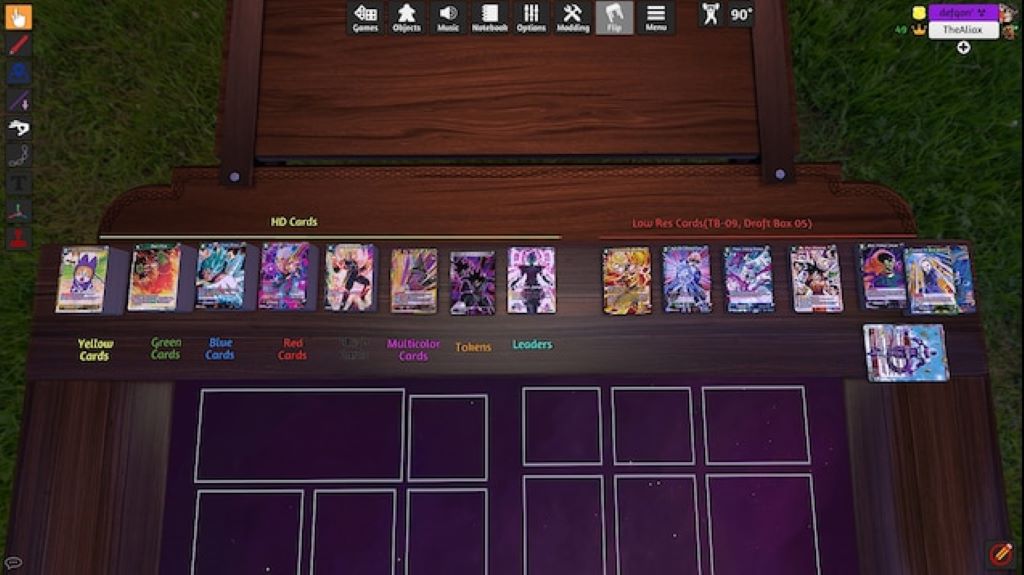
- Custom Assets – You can import custom cards, playmats, dice and more into TTS through the Steam Workshop. Get creative!
- Saved States – You can save a game in progress at any point and come back to it later. This is great for long games that you can’t finish in one sitting.
- Online Multiplayer – Play opponents around the world! This takes the experience far beyond just playing AI bots.
- Tournaments – TTS allows tournament organizers to facilitate virtual tournaments, including swiss pairings and top cut brackets.
The possibilities are endless for customizing and enhancing your DBS CCG experience in TTS. Let your imagination run wild!
FAQs
How much does it cost to play DBS in TTS?
You have to purchase Tabletop Simulator on Steam for $19.99. The DBS mod and all cards are free. There are no additional charges.
Can I use my real cards that I own physically?
Yes! You can import your personal collection into TTS through the Steam Workshop. Then you can build decks using your own cards.
Is DBS CCG in TTS an officially licensed product?
No. The mod was created independently by fans. But Bandai Namco seems to be okay with its existence as a way to play online.
What options are there for online matchmaking and multiplayer?
You can play other people by direct connecting as friends over Steam. There are also Discord channels and communities to find opponents.
Can I simulate playing in a real tournament?
Yes! TTS supports round timers, pairings, and top cut brackets. Virtual tournaments are very popular on TTS.
Conclusion
Dragon Ball Super Card Game in Tabletop Simulator brings the deep strategy of DBS CCG online in a physics-based digital environment. It provides an authentic tabletop experience that mirrors real life gameplay. With full customization and scripting options, you can tailor it exactly to your preferences. Similarly, in the realm of video game testing, whether you’re a novice eager to learn or a seasoned player seeking to excel, honing your expertise through thorough testing and exploring new gameplay scenarios is crucial for success as a video games tester; much like perfecting your skills and testing new deck ideas in Dragon Ball Super TTS, be prepared to invest many hours to thrive in both worlds.